Hotline
A native Windows 11 AI panel on the Copilot key — fast, private, and wired to whichever AI you choose.
Install Hotline- Year
- 2026
- Role
- Design & engineering (solo)
- Stack
- C# · .NET 10 · WinUI 3 · MSIX · MCP · GitHub Actions
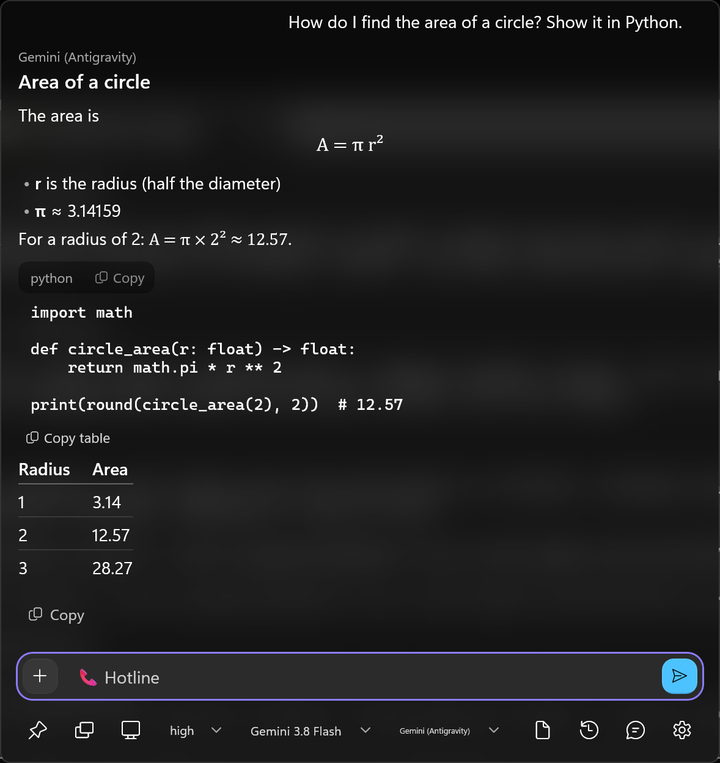
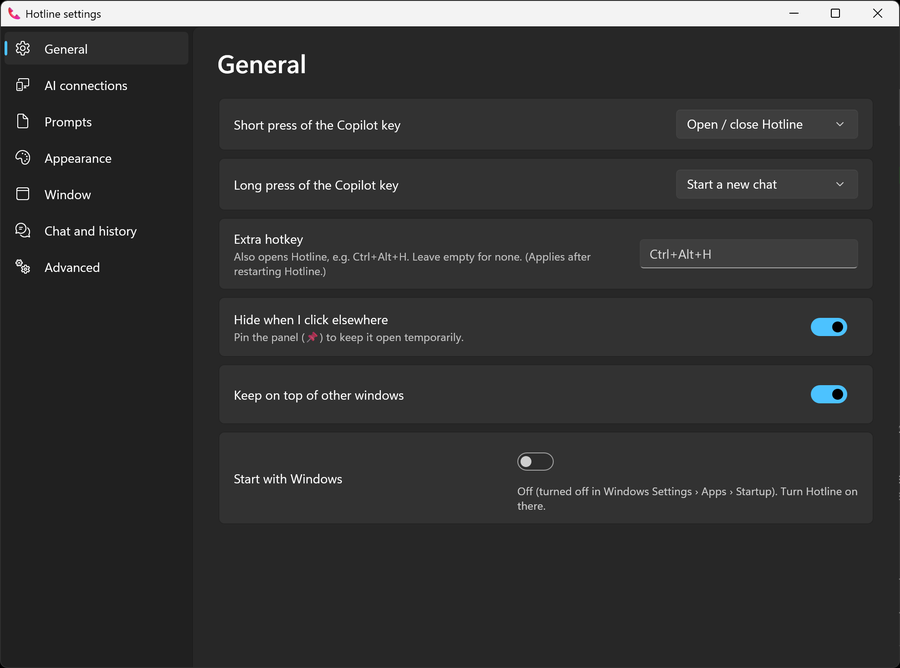
Overview
Windows 11 keyboards ship with a Copilot key that only opens Microsoft's assistant. Hotline takes it over: one press opens a native popup on the monitor you're working on, focused and ready to type, and it talks to the AI you pick — your existing Claude Code or Antigravity CLI sign-ins, an Anthropic, Gemini, or OpenAI-compatible API key, or a local model behind an OpenAI-style server like llama.cpp.
It's a WinUI 3 app with no embedded webview, built on a UI-free .NET core. Answers render as Markdown with tables, copyable code, math, and inline SVG. It pulls in context without grabbing your clipboard — the text you had selected arrives through UI Automation, and screenshots fall back to Windows' offline OCR for models that can't see images. Tools come from your MCP servers; read-only tools run on their own and anything else asks first. Settings, prompts, quick actions, and memory are all plain files, and API keys live in Windows Credential Locker.
Hotline has no server, accounts, or telemetry, and ships with a written privacy policy that says exactly what leaves your PC. It's pre-1.0 and used daily, so expect rough edges: Windows 11 only (x64 and ARM64), Apache-2.0, and developed in the open by one person. It's available from the Microsoft Store (as Hotline AI) and from GitHub Releases.
Highlights
- Provider-agnostic by design: Claude Code and Antigravity CLI sign-ins, three API families, and local models, switchable from an effort → model → provider picker in the bar.
- Native and light: WinUI 3 with acrylic instead of a webview, with all logic that doesn't touch the UI split into a separately tested .NET library.
- Reads context respectfully: selected text over UI Automation, screenshots of a window, screen, or dragged region, and on-device OCR — nothing is sent until you press Enter.
- Tools with guardrails: MCP servers and Windows agent connectors, where read-only tools run and everything else asks Allow once / Always / Deny in the panel.
- Private by construction: no telemetry, keys in Credential Locker and sent only over https, and a published privacy policy.
- Shipped like a product: 500+ unit tests, an end-to-end smoke test that drives the Copilot key, hotkey, and protocol links, CI on every PR, and automated x64 + ARM64 MSIX releases.