Hotline
Your Copilot key, your AI.
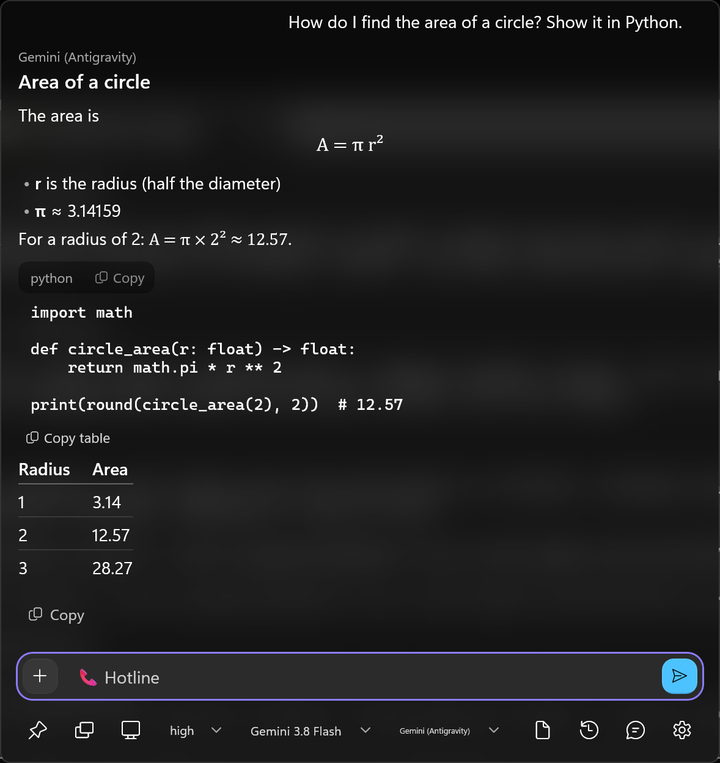
Hotline replaces the Windows Copilot key with a fast, native popup that talks to whichever AI you choose — your Claude Code or Antigravity sign-in, an API key, or a model running on your own PC.


Windows 11 22H2 or later, on x64 or ARM64 · free and open source (Apache-2.0)
Hotline is pre-1.0 and used daily, so expect some rough edges. Curious how it's built? Read the case study or browse the source on GitHub.
Install
- 01
Download it
Get it from the Microsoft Store, where Microsoft signs it and keeps it up to date. Or grab the latest
.msixbundlefrom GitHub Releases and double-click it; for automatic updates, openHotline.appinstallerinstead. - 02
Give it the Copilot key
In Windows, go to Settings → Personalization → Text input → Customize Copilot key on keyboard → Custom → Hotline (the Store version may be listed as Hotline AI). Windows only lets packaged apps take the key, which is why Hotline installs as a package.
- 03
Connect an AI
Open Hotline, then pick a provider from the bar or add one in Settings → AI connections. Use what you already have, or bring a key — the options are below.
Windows refuses a GitHub test build?
Pre-release test builds are signed with a throwaway self-signed certificate, so Windows refuses them until you trust that build's Hotline.cer once. In an admin PowerShell, in the download folder:
Import-Certificate -FilePath .\Hotline.cer -CertStoreLocation Cert:\LocalMachine\TrustedPeople
Each test build has its own certificate, and test builds don't update automatically. The Microsoft Store version and releases signed with a trusted certificate need none of this.
Build it from source
Needs the .NET SDK 10.0.401 or newer. The first script creates and trusts a self-signed certificate (once, with a UAC prompt); the second builds, signs, and installs Hotline, then starts it in the tray.
git clone https://github.com/PMARC14/hotline
cd hotline
scripts/dev-cert.sh
scripts/install.sh
Then assign the Copilot key as in step 2.
Connecting an AI
Claude Code
Claude Code installed and signed in (run claude once)
Antigravity CLI
The Antigravity CLI installed and signed in (run agy once)
Anthropic, Gemini, OpenAI-compatible
An API key: Settings → AI connections → Add connection, paste the key, pick a model
Local models
An OpenAI-style server running, like llama.cpp's llama-server, LM Studio, or vLLM
Keys are only ever sent over https, with plain http allowed only to your own PC. All options and the file layout are in the configuration guide.
What leaves your PC
Hotline has no server and collects nothing — no account, analytics, or telemetry. When you press Enter, your message goes to the AI connection you picked, along with any attachments, your system prompt and memory notes, and the earlier messages in the chat. Chat history and settings stay on your PC, and API keys live in Windows Credential Locker. What each AI provider does with your data is up to its own terms.
The full details are in the privacy policy. Hotline is licensed under Apache-2.0.